
Complete teacher evaluations before you get back to your office.
EvalScribe writes framework-aligned teacher evaluations in minutes, so school administrators can spend less time at their desks and more time leading in the hallways.
No credit card required · iPhone, iPad, and Mac only. No Android or web version yet.
Supports the frameworks already in use across all 50 states
See what EvalScribe does with your rubric.
Every state uses its own instrument, its own domains, and its own rating labels. Pick yours and see how EvalScribe helps you organize evidence by that framework's domains, how the rating levels map, and what shows up in a finished write-up.
All 50 states and Washington D.C. have a page. Your district uses something custom? Send us the rubric and we will tell you straight whether we support it.
You love observing teachers.
You hate the paperwork.
Classroom observations are one of the best parts of the job. Mapping notes to evaluation standards, rewriting them in formal language, and typing them up later is the bottleneck. It is what keeps you at your desk when you should be leading your school.
From notes to finished evaluation in four simple steps.
Capture. Generate. Review. Finalize.
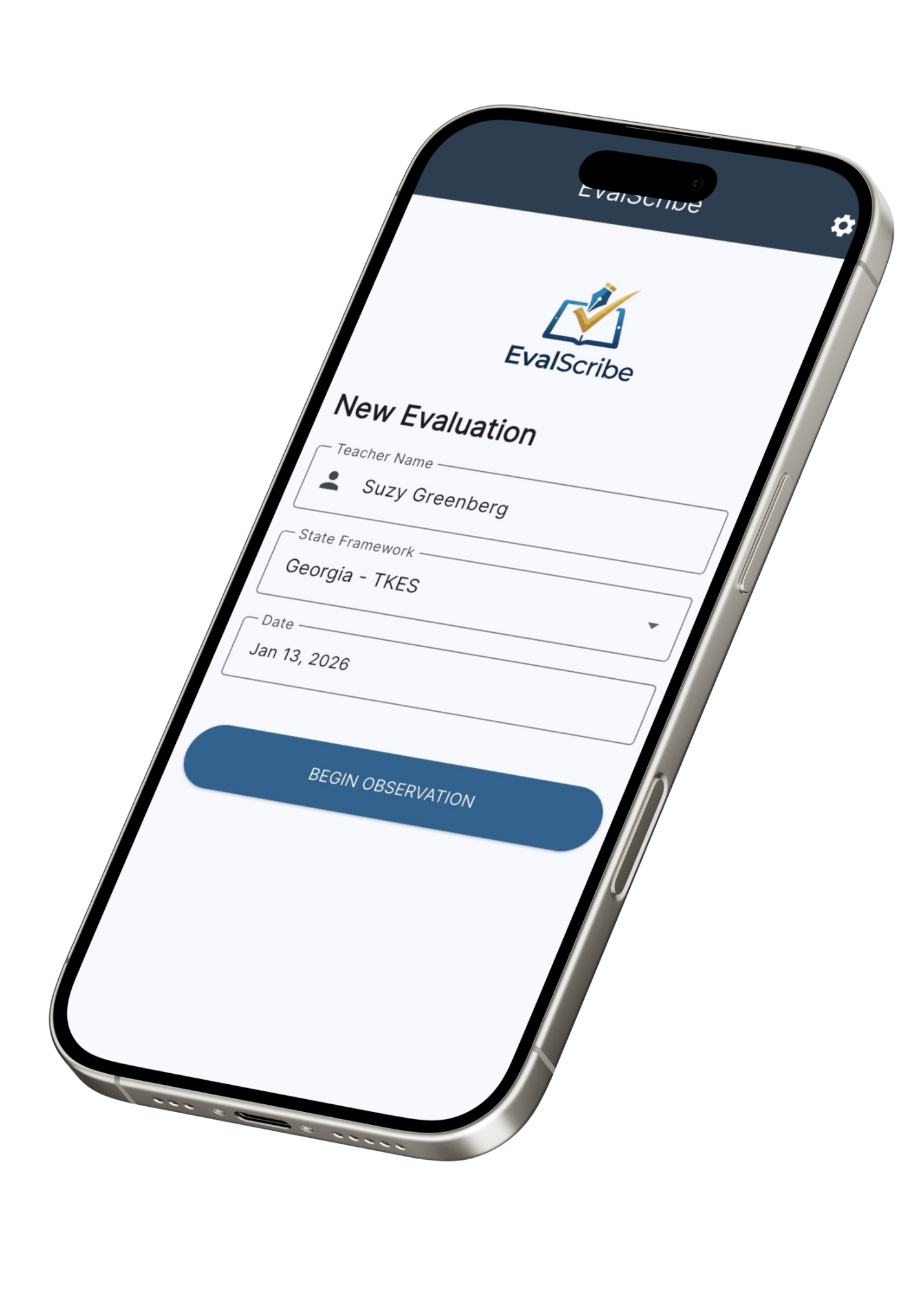
Capture
Type, dictate, or scan your handwritten observation notes.
Generate
EvalScribe drafts a framework-aligned evaluation in seconds.
Review
You read, refine, and edit. You always have the final say.
Finalize
Export a polished PDF, then attach it, upload it, or paste it wherever your district keeps evaluations.
About 60 minutes → about 10.
The whole evaluation workflow, in the time it takes to walk back to your office.
Type. Dictate.
Or scan your handwriting.
Whether you are a rapid typer, a verbal processor, or a pen-and-paper traditionalist, EvalScribe takes notes the way you already take them. No new habit to build on top of the job you already have.
-
Type directly
Fast, intuitive interface designed for mobile devices and laptops.
-
Dictate on the go
Speak your thoughts the moment you leave the room. Our dictation engine captures every detail.
-
Scan handwritten notes
Love your notepad? Keep it. Snap a photo of your handwriting and Smart Scan converts it instantly.
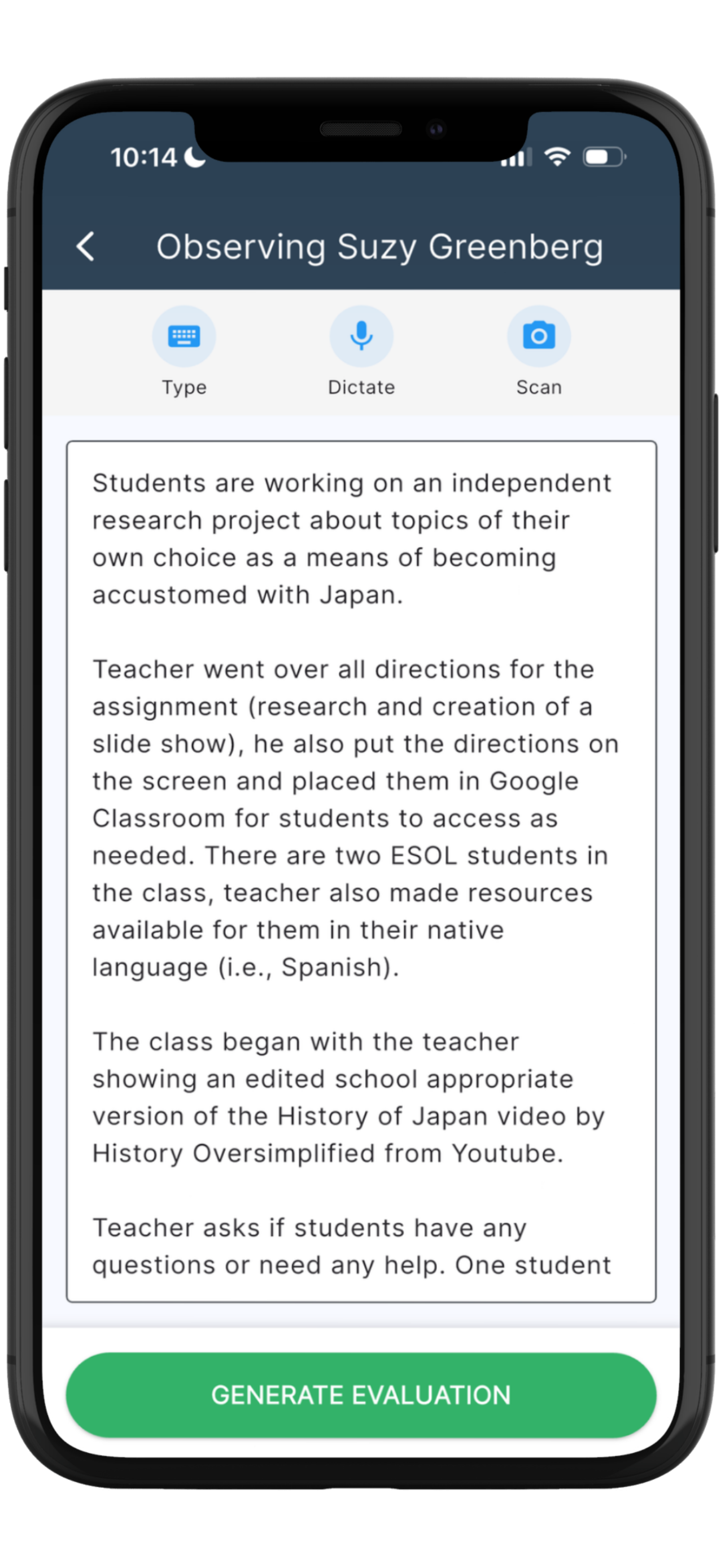
Support for your state's framework, from day one.
EvalScribe supports evaluators in every U.S. state plus Washington D.C., including districts that use the widely adopted national models: Danielson, Marzano, Stronge, CEL 5D+, NIET, and Kim Marshall.
Don't see yours? Let us know. We add support for new frameworks based on district requests.
Mapped standards. Evidence.
Coaching script.
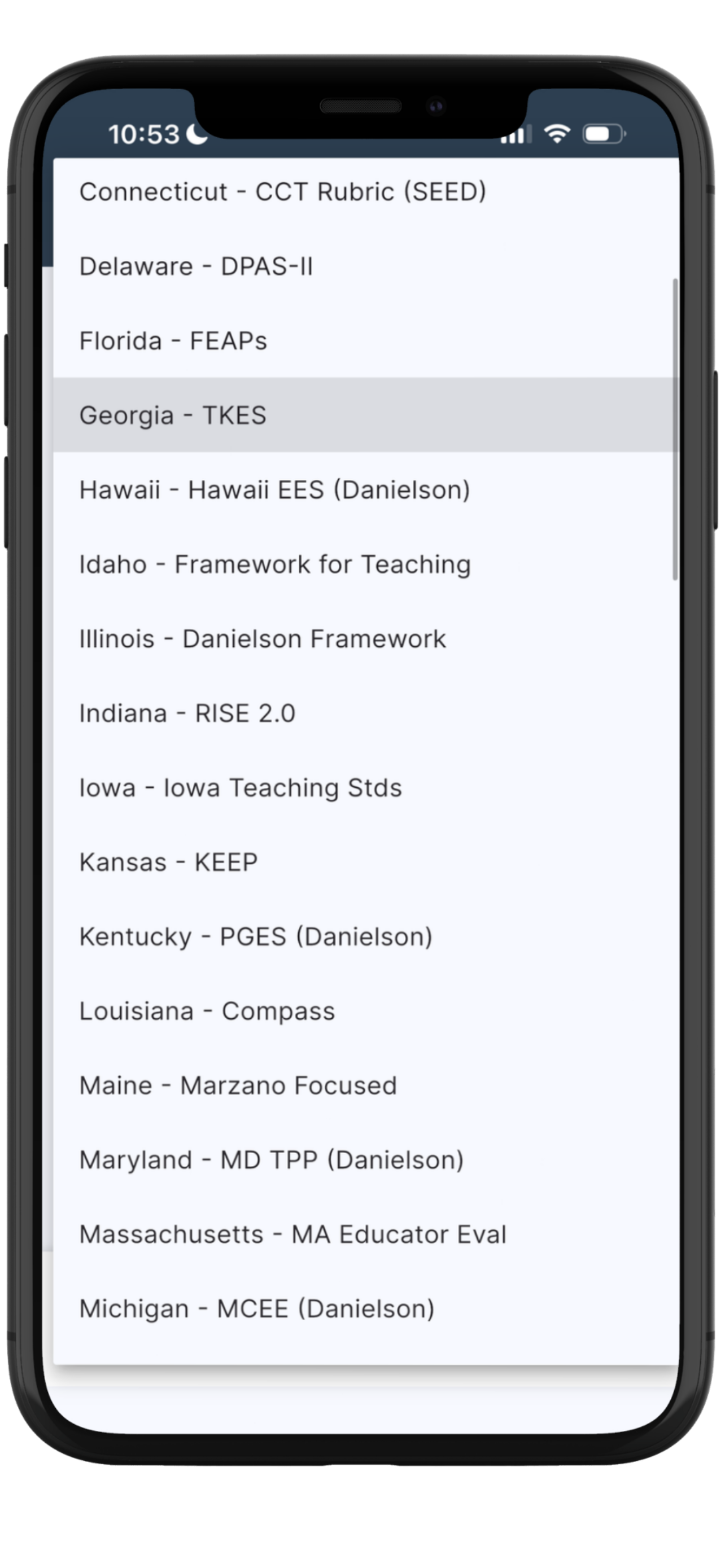
EvalScribe doesn't just paraphrase your notes. It maps them to your district's evaluation framework, supplies the evidence, suggests competency levels, and even drafts your post-conference coaching script.
Automatic mapping
Notes analyzed against your district's framework to identify where standards are met.
Professional voice
Fragmented observations become clear, formal, professional statements.
Every rating traces to your evidence
Each suggested competency level cites the specific thing you wrote down and saw. Nothing appears in the write-up that did not come from your notes.
Coaching script
Conversation starters and coaching topics ready for your post-eval meeting.
This is why administrators tell us the write-up holds up in a conference. Your observation, your evidence, your judgment on every rating, in language that matches the instrument your district uses.
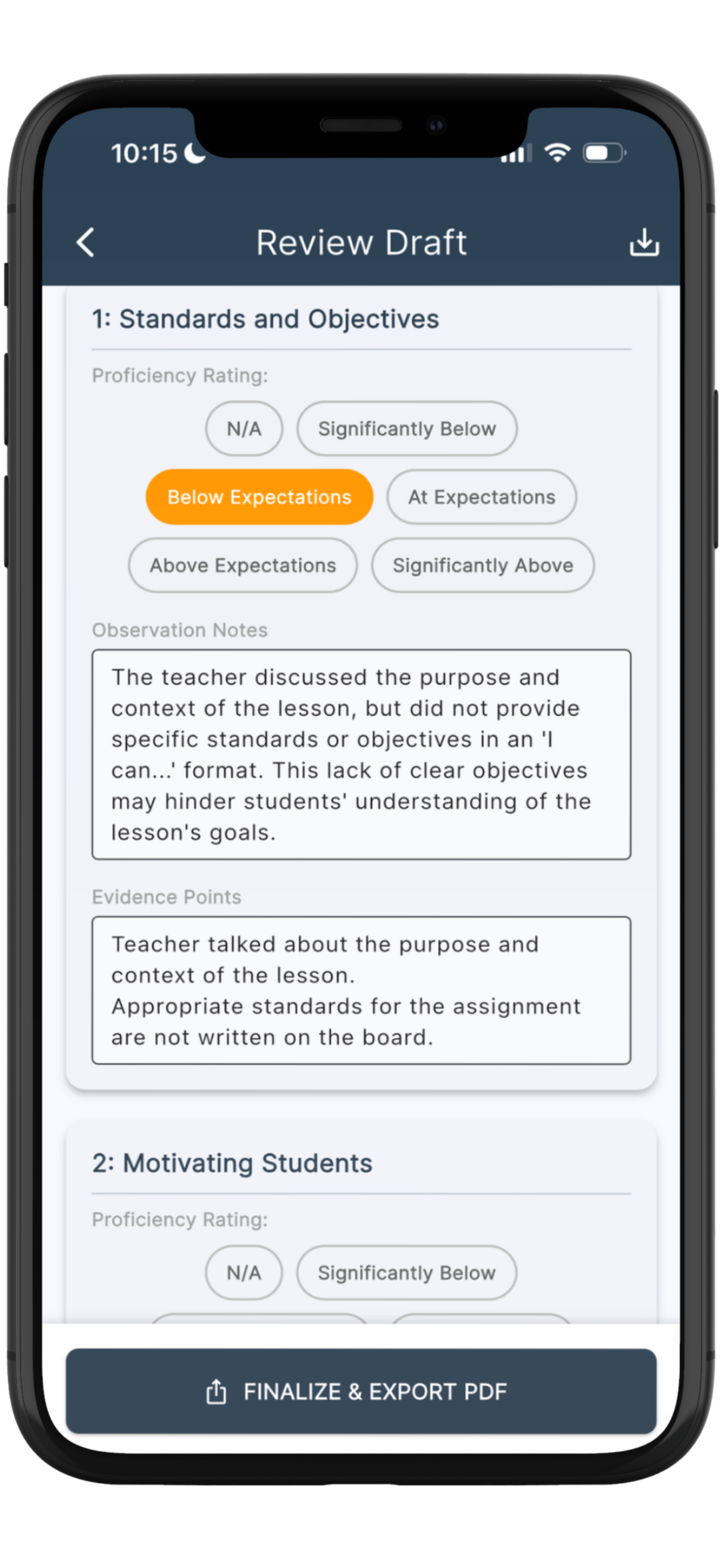
Your phone. Your tablet.
Your Mac.
One subscription works across all your Apple devices. There is no Android or web version yet.
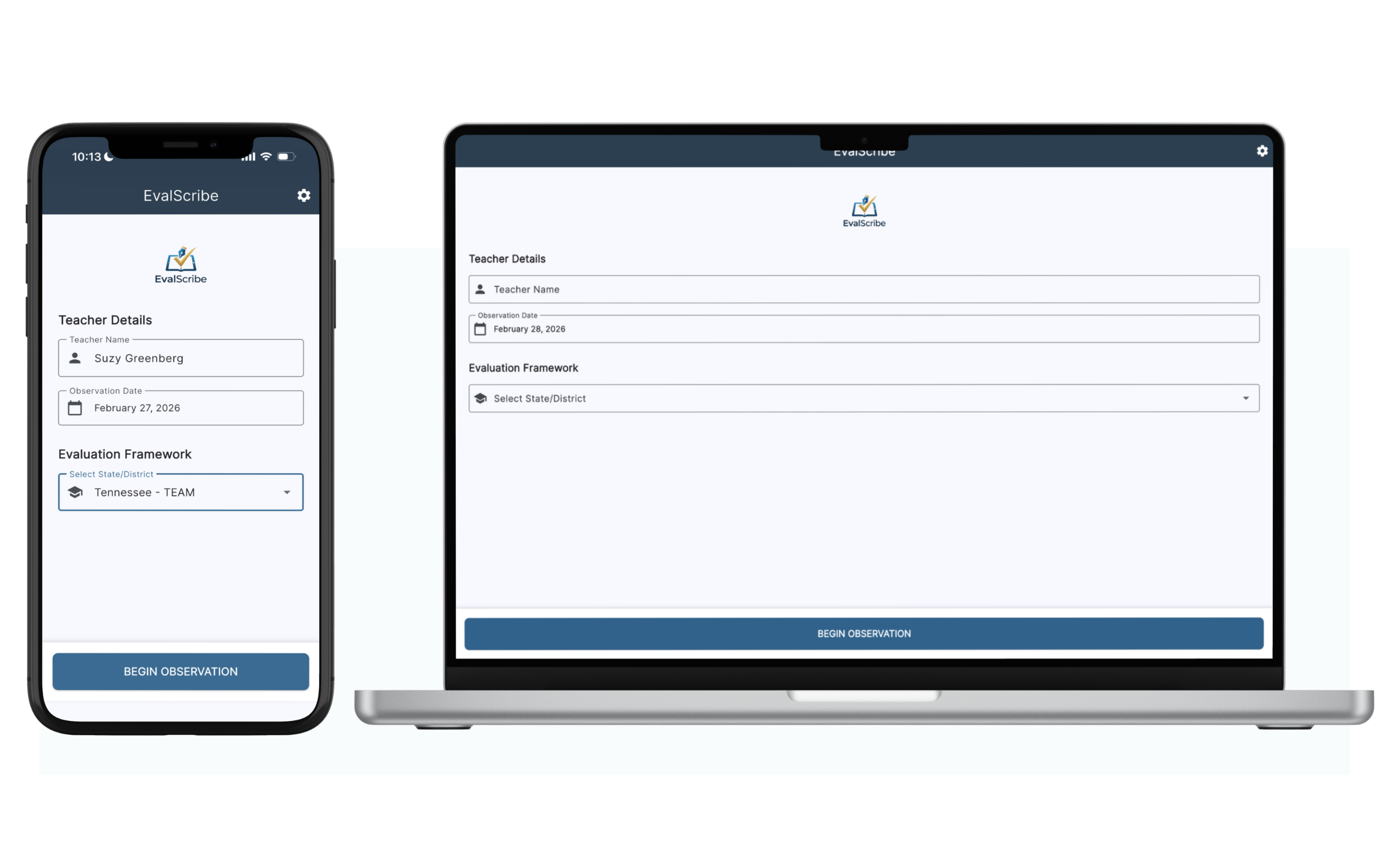
An unedited walkthrough.
Start to finish.
Watch EvalScribe turn an observation into a finished evaluation in real time, at the speed it actually runs.
What your principals actually deliver.
Download a real EvalScribe evaluation and see exactly what comes out: mapped standards, evidence citations, and coaching script. No signup, no email required.
What administrators are saying.
EvalScribe is a tool that every public school principal should use. This resource literally makes multiple people out of administrators, allowing them to focus their energies on precise observation analysis and quality feedback while leaving EvalScribe to handle the mechanics.
"Game changer. Absolute game changer for school admin."
"This is amazing. I would pay lots of money for this. I'm serious, it's crazy good. I look forward to using it on a regular basis next year."
"EvalScribe has the potential to reduce administrative workload while helping school leaders provide more timely and meaningful feedback to teachers. Based on what I observed, I believe it is a tool with considerable promise for schools and districts."
"Evaluators spend an inordinate amount of time recording and documenting evaluations. This app is easy-to-use, affordable, and incredibly efficient. It cuts the time spent significantly and frees us up to handle other aspects of the job. I can't recommend trying it out enough."
How many hours could you reclaim?
Estimate the leadership hours EvalScribe gives back to you, or to your entire district, over a school year.
The teachers you're responsible for evaluating this year.
Most districts require 2–3 formal evaluations annually.
Including writing, framework alignment, and conference prep.
These figures are estimates, not a guarantee. Assumes roughly 10 minutes per evaluation with EvalScribe, based on typical user time after the first few evaluations. Individual results may vary.
Your time, reclaimed
That's 1.6 work weeks back in your year.
Today, without EvalScribe
75 hrs/year
With EvalScribe
12.5 hrs/year
Your district, reclaimed
Already spending, every year
900 evaluations × 60 min each, just writing up evaluations
Here's the math
Your district runs about 900 evaluations a year (12 administrators × 25 teachers × 3 evaluations). EvalScribe saves roughly 50 minutes on each one, handing back 750 hours of evaluator time to your buildings.
You spend
Your administrators get back
not dollars in the budget, capacity back in your buildings
63
Hours back, per admin
94
Workdays reclaimed, districtwide
What those hours actually buy
Observation cycles completed inside the window your state requires. Feedback delivered while the lesson is still fresh instead of three weeks later. More frequent walkthroughs for the teachers who need them most. Evaluation is already a compliance obligation you have to meet. This is what makes meeting it survivable.
District cost calculated at the district-wide licensing rate of $80 per administrator per year. To be clear about what this is and isn't: it reclaims labor capacity, not budget dollars. Salaries don't change. What changes is what that time gets spent on.
See what EvalScribe means for your districtFramework-aligned.
Not just another AI chatbot.
Plenty of administrators have already tried pasting their notes into ChatGPT. Here is what happens next.
| Capability | EvalScribe | General AI platforms |
|---|---|---|
| Purpose | Built specifically for teacher evaluations | General-purpose text generation |
| Setup required | Ready to use immediately | Requires prompt writing and setup every time |
| Framework alignment | Aligned to your district's framework and standards | Must manually paste or reference standards |
| Domain mapping | Automatically aligns notes to correct domains | User must decide and guide alignment |
| Rubric scoring | Consistent, rubric-aware scoring (e.g., 2 vs. 3 vs. 4) | No built-in scoring logic; varies by prompt |
| Consistency across evaluations | Standardized outputs every time | Outputs vary depending on prompt wording |
| Evaluation language | Generates formal, evaluation-ready language automatically | May require editing and reformatting |
| Workflow efficiency | End-to-end evaluation process handled in minutes | Multiple manual steps (prompt, adjust, reformat) |
| User skill required | No AI expertise needed | Requires learning how to prompt effectively |
| Evidence trail | Every rating cites the specific note you wrote | No structured link between evidence and rating |
| Where your data goes | Stays on your device; never used for model training | May be retained and used to train the provider's models |
| Time per evaluation | About 10 minutes (based on early users) | 30 to 60 minutes depending on workflow |
| Designed for | School administrators and instructional leaders | Broad, non-specialized use cases |
Purpose
Setup required
Framework alignment
Domain mapping
Rubric scoring
Consistency
Evaluation language
Workflow efficiency
User skill required
Evidence trail
Where your data goes
Time per evaluation
Designed for
Already have an evaluation platform?
Most districts do, and EvalScribe is not asking you to replace it. Your platform of record is where scores get submitted and where state reporting pulls from. That does not change.
EvalScribe is the drafting layer in front of it. The hour you currently spend turning scribbled notes into formal, framework-aligned prose becomes about ten minutes. Then you export and put the finished write-up wherever it needs to go.
What EvalScribe replaces
- The blank page at 7 p.m.
- Rereading the rubric to find the right domain
- Rewriting your shorthand into formal language
- Starting the coaching conversation from scratch
What it doesn't touch
- Your system of record
- Your district's submission workflow
- Your final ratings, which stay yours
From inside the classroom,
we saw the cost.
EvalScribe was co-founded by Anthony Neely, Ph.D. (Interdisciplinary Learning & Teaching, district Teacher of the Year) and Andrea Neely, Ph.D. (Business), a husband-and-wife team with thirty years of combined classroom experience.
From inside the classroom, they watched school administrators disappear into their offices for days at a time to write formal teacher evaluations. Hallway leadership replaced by paperwork. So they built EvalScribe to give that time back.


Got questions? We have answers.
The questions admins and districts ask most often.
What happens if a teacher challenges the evaluation?
This is the question we hear most, and it deserves a straight answer rather than a checkmark on a chart.
EvalScribe does not generate observations. It works only from the notes you took in the room. Every statement in the finished write-up traces back to something you personally recorded, and every suggested rating is tied to the specific piece of evidence behind it. You then review each one, change what you disagree with, and sign off before anything is finalized. The document that reaches the teacher is your professional judgment, expressed in clear, professional language aligned to your district's framework.
What that gives you in a conference or a grievance meeting is a clear line from what you observed, to the evidence you wrote down, to the rating you assigned. That is the same standard a well-documented handwritten evaluation has to meet. EvalScribe makes it faster to produce, not different in kind.
One thing we won't pretend to know: some districts and bargaining agreements are actively writing rules about AI assistance in personnel processes. Those rules vary and they are changing. Check your own district policy and contract language, and if it would help to have us explain in writing exactly how the tool works so your HR or legal team can evaluate it, ask and we will.
Is there an Android or web version?
Not yet. EvalScribe runs on iPhone, iPad, and Mac only. If your district issues Android phones or Chromebooks to administrators, EvalScribe will not work for you today, and we would rather tell you that now than after you have spent time on a demo.
Apple's device-level security is part of how we keep evaluation data on your device instead of in a database we operate, and iPads are already in most buildings, which is why we started there. When we do roll out across additional operating systems, we intend to do it to the highest caliber possible on both security and performance. That takes time we would rather spend getting it right than shipping early.
If you want an Android or web version, tell us. We track those requests and they are what will decide whether it gets built.
Does EvalScribe integrate with the evaluation system we already use?
No, and that is a deliberate design decision rather than a gap we are working on.
Integrating with your SIS or evaluation platform would mean opening a data connection between personnel records and a third-party vendor, which means an IT review, a security assessment, and a standing pipe carrying sensitive data out of your district. That is exactly the risk we built EvalScribe to avoid.
Instead, EvalScribe produces a finished PDF on your device. You decide what happens to it: attach it, upload it into your platform, copy the text into your district's form, print it, or email it. It takes a minute or two and it works with every system, including the one your district switches to in three years.
Why not just use ChatGPT or Gemini?
General AI tools can help you write evaluation comments, but they leave you doing most of the work. You have to craft prompts, align feedback to your framework, interpret rubric levels, and ensure consistency across teachers.
EvalScribe handles that entire process. It takes your raw walkthrough notes and organizes them around your district's specific framework, applies consistent rubric-based scoring, and produces evaluation-ready language every time. No prompt engineering required.
And on security: whatever you put into a general AI platform may be used to train their models and may be exposed to other users. EvalScribe runs on Microsoft Azure with transient processing. Your data is wiped at the end of each session, never used for training, and never sold to third parties.
Does EvalScribe replace the administrator?
Absolutely not. EvalScribe is a translation tool, not a decision-maker. It takes what you observed and renders it in clear, professional language aligned to your district's framework. The app suggests alignment to standards based on the rubric, and you are the human in the loop: you review every score, edit every comment, and make the final determination before the document is finalized. The app does the typing. You do the evaluating.
How much time does this actually save?
During beta testing, early users reported write-ups that had been taking about an hour coming down to roughly ten minutes. The savings come from skipping the transcription and the initial mapping of evidence to standards, not from cutting corners on the evaluation itself. Try the time-savings calculator above to see what that translates to for your context. Your first evaluation or two will take longer while you learn the app.
Is my district's data being used to train AI models?
No. This is our primary security commitment. EvalScribe is built on Microsoft Azure OpenAI Service, the same enterprise-grade infrastructure used by major banks and healthcare systems. Our Azure instance is configured to opt out of all model training.
Transient processing: Your data is sent securely to the engine, processed in memory, and returned. Zero retention: Your observation notes and images are not stored on our AI servers, nor used to train future AI models.
Where is my data stored?
EvalScribe uses a local-first architecture. All data resides physically on your device. We do not maintain a central cloud database of your teachers or evaluations. If you delete the app, the data is gone. This minimizes liability and ensures that sensitive personnel records are not sitting on a third-party server. Data only leaves your device when you explicitly choose to export the PDF.
Is EvalScribe FERPA/COPPA compliant?
EvalScribe is an administrative tool designed for evaluating adults (teachers), not students. While student behaviors are often noted as evidence (for example, "students were on task"), the app is not designed to store educational records or personally identifiable information about students. As a best practice, we recommend administrators avoid using full student names in their observation notes. For districts that require a Data Processing Agreement, we're happy to sign yours or provide ours.
What if my district's framework isn't supported yet?
Reach out and we'll do our best to add support for it. We add support for new frameworks based on district requests. That is how we came to support every state plus the major national frameworks in the first place. Email [email protected] with your district's rubric and we'll get back to you.
How do I purchase EvalScribe?
Individuals: Download the app directly from the Apple App Store. Inside the app, you'll have the option to sign up for a monthly or annual subscription.
Schools & districts: Contact us for a group purchase quote. Pricing is available for any size organization, from small schools to large districts. You'll receive a unique access code to distribute to your team, and users download the app and sign in with the code. Email [email protected] to get started.
Don't see your question? View the full FAQ page or contact us directly.
Simple, transparent, no surprises.
Every plan begins with three free evaluations. No card required.
For one administrator
Purchased through the App Store.
Or $14.99/month. Annual saves $79.88.
- ✓ Unlimited evaluations
- ✓ Works with every state & national framework
- ✓ iPhone, iPad, and Mac
- ✓ Type, dictate, or scan input
- ✓ Coaching scripts included
For a school team
Bulk redemption codes, one contact.
Volume pricing for your administrative team.
- ✓ Everything in Individual
- ✓ Bulk redemption codes
- ✓ PO / ACH procurement
- ✓ Single point of contact
- ✓ No profiles to set up
For a district
Volume pricing for district-wide rollout.
Best value for districts with multiple schools.
- ✓ Everything in School
- ✓ District-wide deployment
- ✓ Multi-school support
- ✓ Onboarding assistance
- ✓ Priority response
One tip for your three free evaluations: spend at least one of them on a write-up you would normally dread. The difficult teacher, the improvement plan, the one you have been putting off. Easy observations tell you the app works. The hard one tells you whether you can trust it.
Individual subscriptions are handled directly through the App Store. Schools and districts contact us directly for bulk annual subscriptions.
Deploy across your administrative team.
No IT lift.
Districts contract with EvalScribe and receive redemption codes, one for each administrator seat. Your team redeems with a single tap. No profiles, no passwords, no SSO project, no integration to review.
Every hour an administrator isn't writing up evaluations is an hour back in classrooms. Across a full team, that is hundreds of hours of leadership capacity reclaimed each year.
Ready to talk?
Want the full picture first? See how EvalScribe works for districts: the rollout, the security review, and what it actually gives your administrators back. Or tell us about your district and we'll respond within one business day with a quote tailored to your team size.
Contact us for district licensingBuilt on infrastructure your IT director
already trusts.
A small company leaning on enterprise-grade architecture, so your district doesn't take on added risk.
No integration. On purpose.
Most evaluation tools want a connection into your student information system. That connection is also a standing pipe carrying personnel data out of your district and into a vendor's servers, and it is why every purchase turns into a six-month security review.
We built EvalScribe the other way around. Your observations never leave your device except as a PDF you export yourself. There is no database of your teachers on our end, because there is no connection to build one from. Nothing for your IT director to approve, and nothing for anyone to breach.
What this means for you
- No SIS connection to scope, approve, or maintain
- No vendor database holding your personnel records
- Works with whatever platform you use now, and the next one
- Export, attach, done. About two minutes.
Transient processing
Observations are sent to Azure, processed in memory, and returned. Nothing about your evaluation is retained on our AI servers.
Local-first architecture
Your evaluations live on your device, not in a central cloud database. Delete the app and the data goes with it.
Never used for AI training
Our Azure OpenAI instance is configured to opt out of all model training. Your records stay yours.
Human-in-the-loop
EvalScribe drafts. You review, refine, and finalize every evaluation before it's submitted.
Infrastructure
Built on Microsoft Azure OpenAI Service.
The same enterprise infrastructure used by major healthcare systems and financial institutions.
Azure's certifications
For districts
What we are, and aren't, saying.
EvalScribe is a small company, and we don't hold our own SOC 2 or ISO certifications. What we've done is build on Microsoft Azure's certified infrastructure and architect the app so observation data never lands in a central database we operate. EvalScribe is designed as an administrative tool for evaluating adults (teachers), not students, and we recommend admins avoid using full student names in observation notes.
If your district requires a Data Processing Agreement, we'll sign yours (or provide ours). Happy to walk through specifics with your data privacy officer.
Documentation available
- Data Processing Agreement (DPA)
- Privacy policy & data handling docs
- Subprocessor list (it's just Azure)
- Direct conversation with founders
Not ready to download anything?
Start here instead.
We write about teacher evaluation whether or not you ever buy the app: how the frameworks actually differ, what makes feedback hold up, how often each state requires you to observe, and how to evaluate the people a teaching rubric was never built for. Written by a practitioner, not a marketing department.
The library now runs to more than a hundred guides covering every state framework, the national models, and the parts of the job nobody trains you for.
Browse the blogCan you even do this?
AI in Teacher Evaluation: What's Allowed, State by State
All 50 states plus D.C., including Illinois's SB 2909, Georgia's restriction, which states have issued general AI guidance, and the one principle that holds everywhere: a human makes the judgment.
Read itThe write-up itself
Sample Evaluation Comments That Actually Work
Why comment banks fall flat, the anatomy of a comment built from evidence rather than adjectives, before-and-after rewrites, and what each rating level should sound like.
Read itReference
Teacher Evaluation Glossary
Sixty-plus terms in plain language, from domain and Proficient to VAM, SLO, and Loudermill. The one to send a first-year assistant principal.
Read it
Built to keep you
out of your office.
Three evaluations free. No credit card. Available now on iPhone, iPad, and Mac.

Not on Apple? Here's where we stand on Android.
Questions? District inquiries? Frameworks to add?
We answer every message personally. Usually within one business day.